AEO Audit Features: Find Weak Pages and Prioritize Fixes
Amisora reviews publicly accessible website pages for clear answers, extractable content, citation-oriented structure, and ambiguity risk. It brings those checks into page-level readiness scores and recommendations that editors can review and prioritize. These are Amisora's diagnostic measurements-not live results from ChatGPT, Perplexity, Gemini, or Google AI Overviews.
A free account is required to run an audit. Free-tier page limits apply; see the pricing page.
What Amisora's AEO audit actually does
An Amisora audit examines a page's publicly accessible text and structure. The goal is to identify places where visitors-and systems extracting information from web pages-may struggle to find a direct answer, recognize a named entity, or understand the evidence behind a claim.
The audit helps your team decide which page to edit and what to review first. It is a content-workflow tool, not an independent measurement of search rank, AI mentions, or whether a particular assistant will cite the page.
1. Inspect publicly accessible pages
Start with a public domain or supported page set. Amisora analyzes the content it can retrieve, including headings, visible copy, links, and relevant structured-data signals. Login-gated pages and material unavailable to its scan cannot be fully assessed.
2. Review page-level readiness scores
Read dimension scores alongside the underlying issues. A score is a way to summarize Amisora's model of answer-readiness; it is not a Google score or a prediction of AI citation probability.
3. Prioritize specific editorial changes
Use findings to identify missing definitions, vague introductory passages, unsupported comparisons, unclear headings, and information that would be easier to understand as a table or a short sequence of steps. Suggested wording should be checked by a person who knows the subject.
4. Compare pages and review later changes
Site-level summaries can help teams decide where to focus. Where re-scan or historical comparison is available to the account, compare the same page after an approved edit. A higher Amisora score indicates improvement within its model-not proof of higher Google positions or more AI citations.
How the readiness score is calculated
Amisora describes a weighted composite based on four dimensions. Each measures an aspect of content readiness rather than observed third-party AI behavior.
| Dimension | Weight | What to review |
|---|---|---|
| Answerability | 35% | Whether a page directly answers important questions and presents relevant facts clearly |
| Citation readiness | 25% | Whether important claims are specific, attributable, and supported with usable context |
| Ambiguity risk | 20% | Whether product names, entities, terms, and claims are clear rather than open to confusion |
| Extractability | 20% | Whether headings, passages, tables, and other structure make useful information easy to locate |
These four weighted inputs feed the composite. Amisora's report also displays other diagnostic metrics; do not mistake every displayed metric for an additional independently weighted part of the same formula.
For details and limitations, read Amisora's scoring methodology.
An example of a useful audit finding
Illustrative example - not a real Amisora scan or customer result
Does Pineboard support CSV exports?
Before
Pineboard makes data sharing simple with flexible workflows and export-friendly features designed for modern teams.
Issue to review
The heading asks a specific question, but the paragraph does not answer it. A reader cannot tell whether CSV export is supported, which plan includes it, or where to find instructions.
After - only if the facts have been verified by the product owner
Yes. Pineboard supports exporting project tables as CSV files on its Team plan. Open a project table, select Export, and choose CSV. The file contains the columns currently visible in that table.
Why the revision is more useful
The revised version answers the question at the start, names the relevant plan, and gives concrete steps. The feature and plan details above are fictional and must not be copied onto a real product page without verification. Amisora cannot establish those facts merely from better wording.
Product interface examples
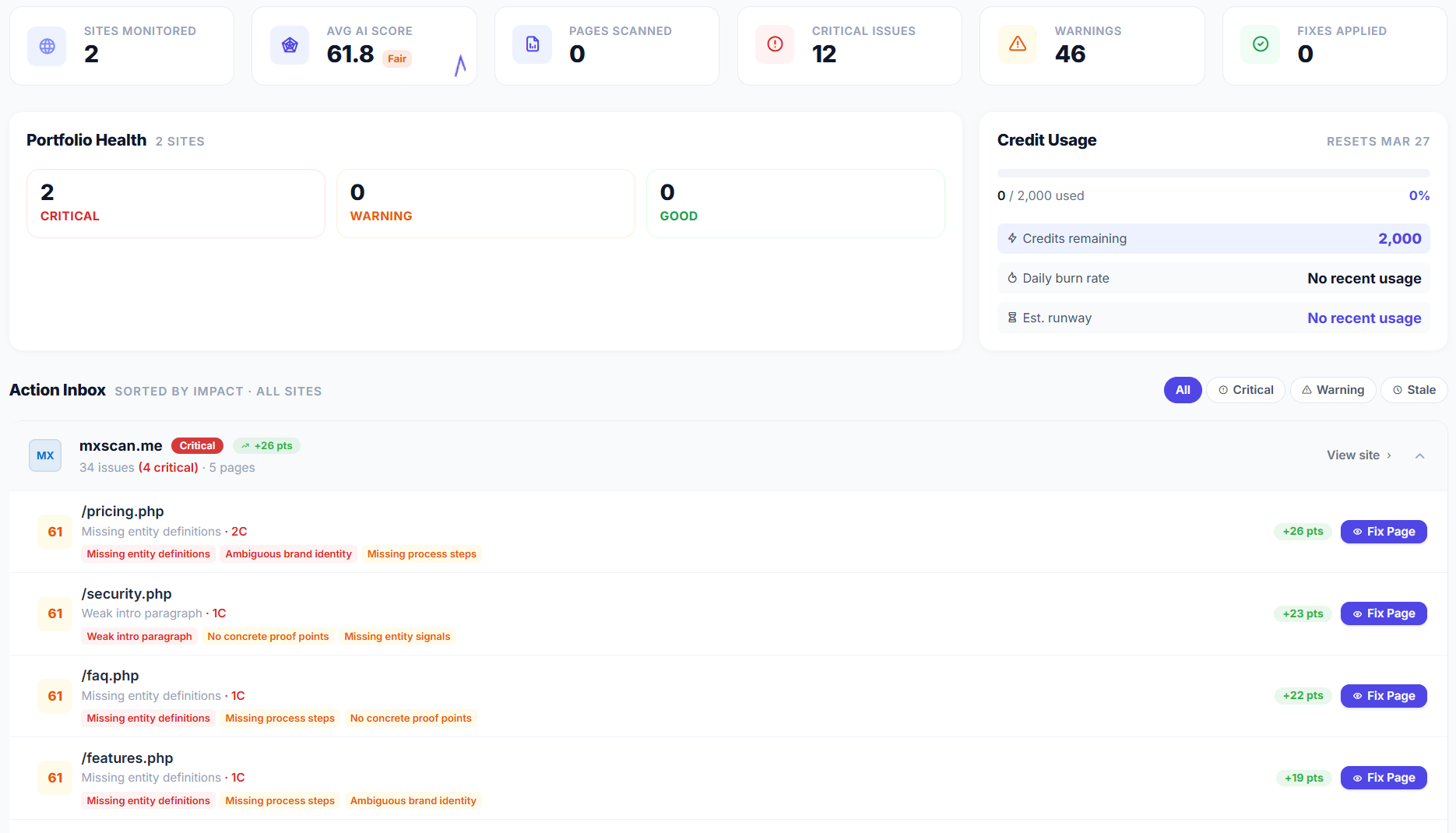
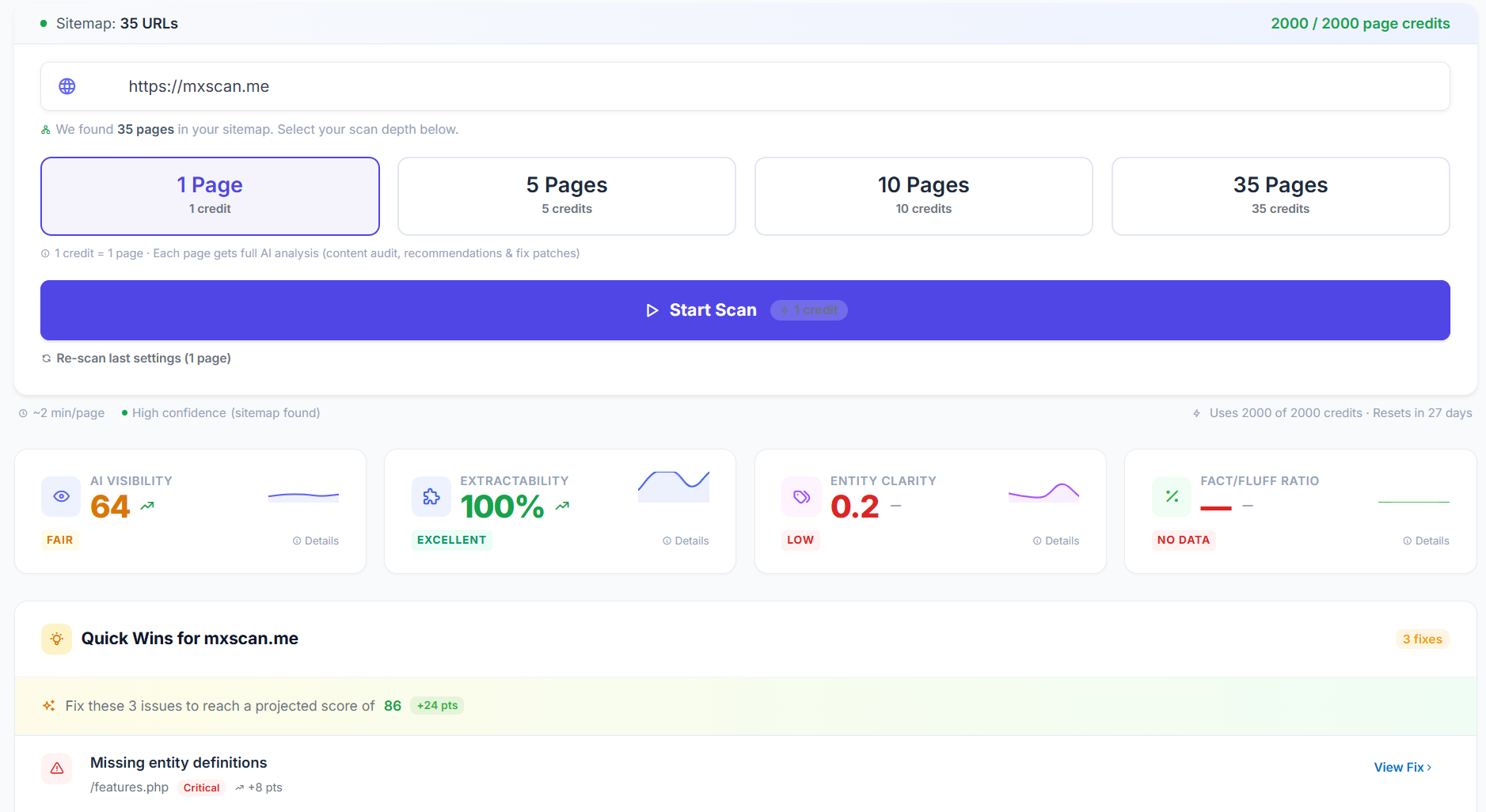
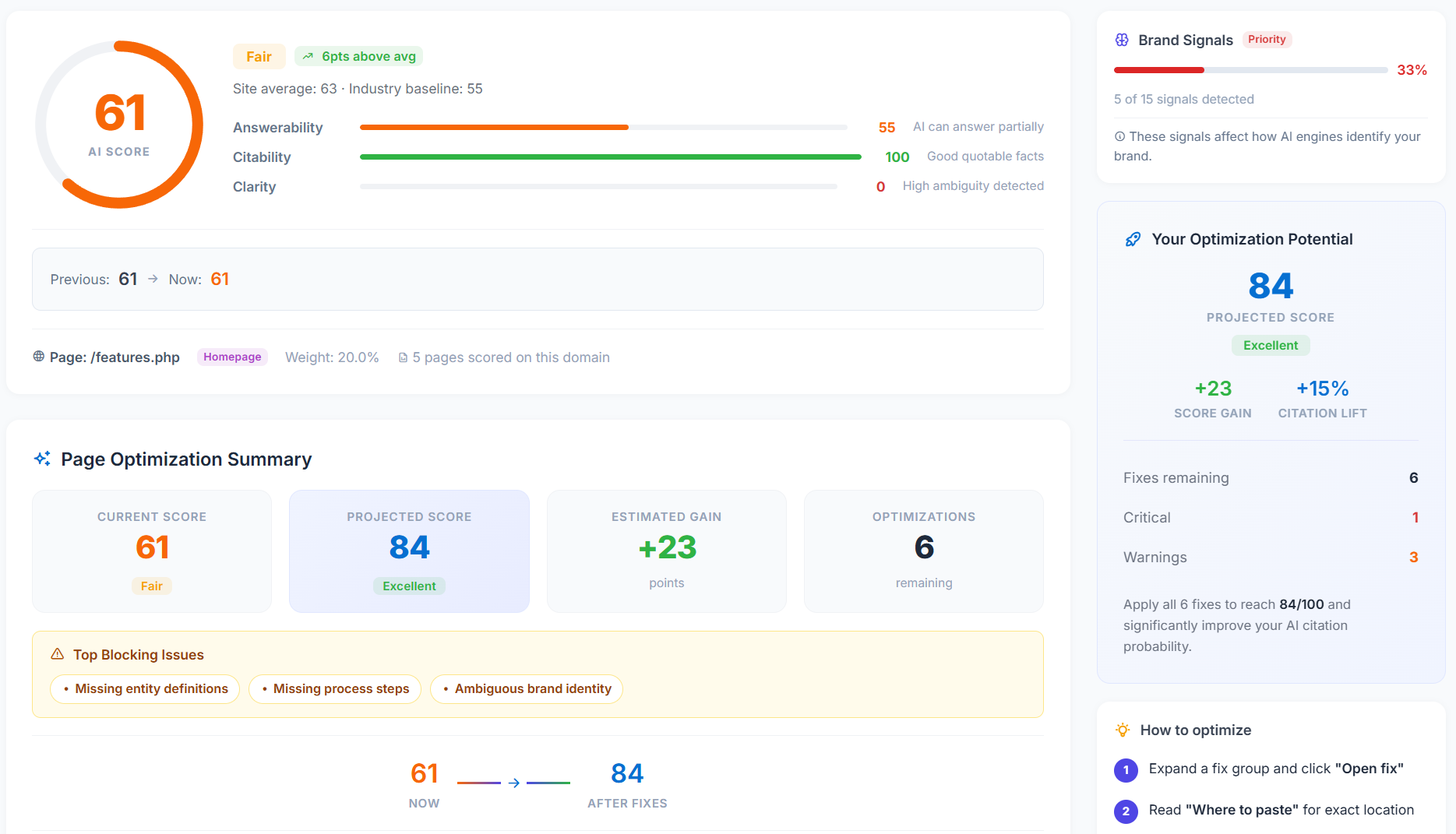
Features for content teams and agencies
Page-level issue lists and suggested edits
Review findings next to the relevant page so editors can distinguish a genuine factual gap from a cosmetic formatting preference. Treat suggested rewrites as drafts requiring factual and editorial review.
Domain-level priorities
Site-level summaries can help a team identify important pages needing review. The published methodology says Amisora weights homepages, core pages, and secondary pages differently in its domain-level assessment. See the methodology before interpreting those totals.
Re-scanning and progress review
Where supported for your scan and plan, compare later readiness results after changes. Keep a record of the page version and publication date so apparent improvements can be investigated rather than assumed to be search-ranking gains.
Optional generated assets and integrations
Some workflows may provide schema drafts, optional llms.txt files, or API integration options depending on scan type and account access. Verify availability before planning a workflow around them, and review generated assets before publication. Google does not require llms.txt, special AI markup, or separate AEO files for eligibility in its AI features.
How to use Amisora alongside traditional SEO
Traditional SEO and AI-search content readiness are complementary. A page still needs to be crawlable, useful, accurate, and discoverable. Amisora focuses on the presentation and clarity of its content; Search Console, server logs, analytics, and other SEO tools help you understand actual search exposure and visits.
| Question | Use Amisora's readiness audit | Use search / analytics tools |
|---|---|---|
| Is the answer clear, specific, and extractable? | Yes-review diagnostic signals and suggestions | Content review still matters |
| Which public pages have structural or editorial gaps? | Use page and domain findings | Complement with crawl or indexing checks |
| Does this page rank #1 for a Google keyword? | No; not measured by the readiness score | Use observed search performance or controlled rank checks |
| Does ChatGPT cite this page in real answers? | No; not established by the readiness score | Requires separate sampling or monitoring of actual answers |
| Did an edit improve organic clicks? | Not established by an audit score change | Compare Search Console and analytics over time |
Google says existing Search best practices remain relevant to AI Overviews and AI Mode, and no special AI-only optimization is required. See Google's official AI features guidance.
What happens when you start a free audit?
- Create a free account. The public marketing page hands you off to the existing Amisora sign-in / registration flow.
- Provide the public pages or domain to review. The audit uses accessible page content and supported scanning options.
- Read the findings. Start with specific, checkable issues, not just the composite score.
- Review recommendations before changing anything. Confirm product claims, source accuracy, and technical instructions.
Free plan terms displayed on Amisora pricing on 17 October 2026: 20 page credits per month, up to 10 pages per scan, and two sites. Plans and entitlements can change; the pricing page is the current source of truth. No credit card is required to start the free tier according to Amisora's public pricing and audit pages.
Frequently asked questions
Start with the pages that matter most
You do not need another generic score without context. Start with pages that should answer buying, product, service, or technical questions; review their specific issues; and publish improvements that genuinely help readers.
A free Amisora account is required before scanning. Free-tier limits apply.